Welcome to pyCarDisplay's documentation!
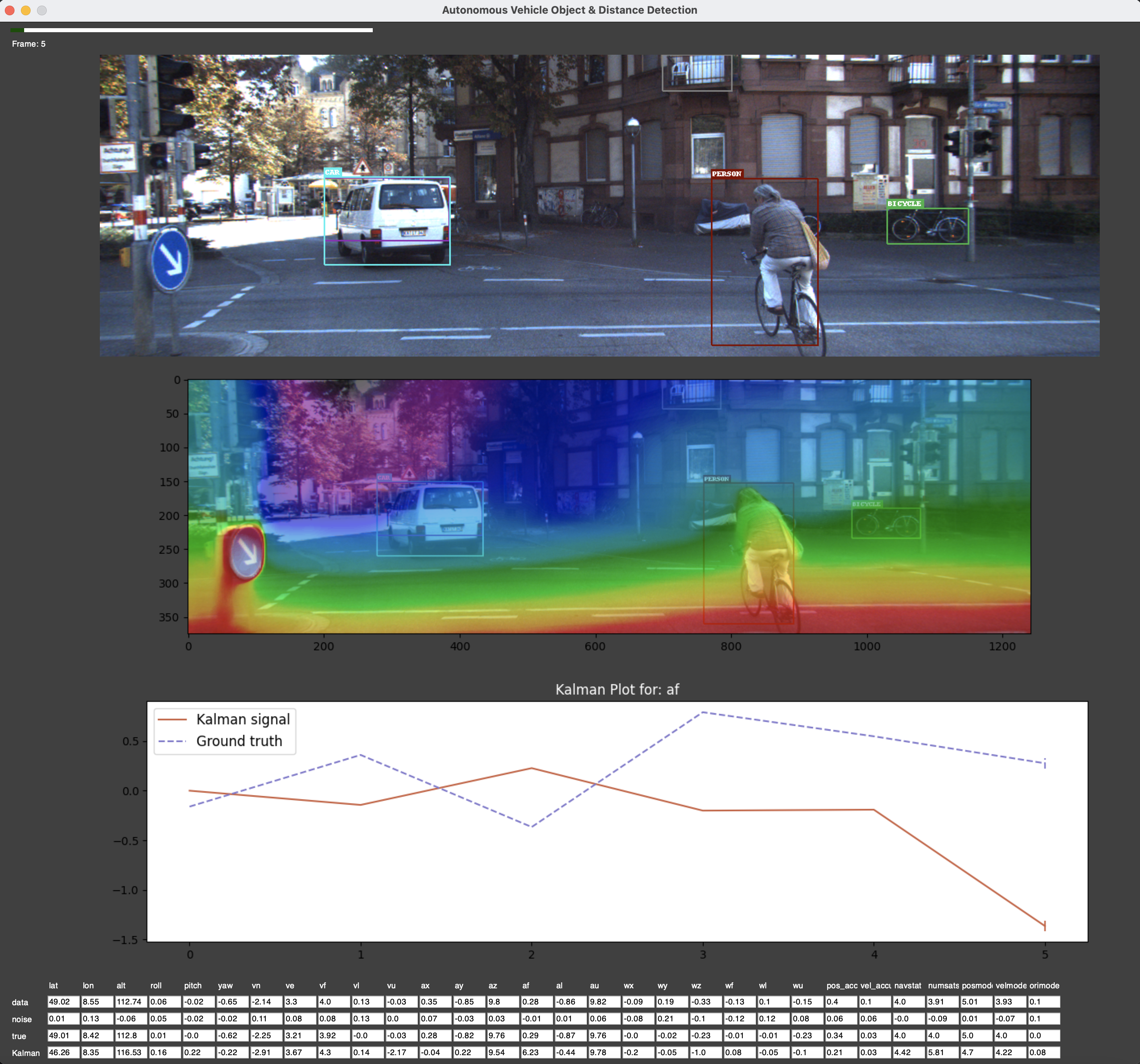
Python Library for Simulating Autonomous Vehicle: pyCarDisplay. pyCarDisplay is developed to read the Kitti dataset, and simulate an automated car. It can perform object detection, depth detection, IMU sensor simulation, Kalman Filtering, and display the results on a GUI.
Prerequisites
Python >= v3.8.5
Download the pre-trained PyTorch object detection model (Provided by sgrvinod).
Download the pre-trained PyTorch depth detection model (Provided by OniroAI).
Download a set of raw sampels from the Kitti dataset.
Installation
pip install pyCarDisplay
or
git clone https://github.com/MaksimEkin/pyCarDisplay
cd pyCarDisplay
python setup.py install
The simulator also needs, at minimum, the pre-trained models and Kitti dataset samples. Please see the prerequisites.
Example Usage
from pyCarDisplay.pyCarDisplay import CarDisplay

display = CarDisplay(
    # Kitti dataset:
    # https://s3.eu-central-1.amazonaws.com/avg-kitti/raw_data/2011_09_26_drive_0005/2011_09_26_drive_0005_sync.zip
    car_images_path="2011_09_26/2011_09_26_drive_0005_sync/image_02/data/",
    imu_sensor_path="2011_09_26/2011_09_26_drive_0005_sync/oxts/data/",
    # Object detection model downloaded from:
    # https://drive.google.com/open?id=1bvJfF6r_zYl2xZEpYXxgb7jLQHFZ01Qe
    object_detection_model_path="checkpoint_ssd300.pth.tar",
    # Depth detection model downloaded from:
    # https://github.com/intel-isl/MiDaS/releases/download/v2_1/model-f6b98070.pt
    depth_detection_model_path="model-f6b98070.pt",
    verbose=True,
    device="cpu"
)

display.start()
Dependencies
numpy>=1.20.1
pandas>=1.2.3
Pillow>=8.1.2
PySimpleGUI>=4.37.0
torch>=1.8.0
torchaudio>=0.8.0
torchvision>=0.9.0
matplotlib>=3.4.1
opencv-python>=4.5.1
termcolor>=1.1.0
How to Cite pyCarDisplay?
@electronic{cmsc611_2021_umbc,
  author = {R. {Barron} and M. E. {Eren} and C. {Varga} and W. {Wang}},
  title = {pyCarDisplay},
  url = "https://github.com/MaksimEkin/pyCarDisplay"
}
References
Vinodababu, S. (n.d.). A-PyTorch-Tutorial-to-Object-Detection. https://github.com/sgrvinod/a-PyTorch-Tutorial-to-Object-Detection
“MiDaS,” Pytorch.org. [Online]. Available: https://pytorch.org/hub/intelisl_midas_v2/. Accessed: 27-Mar-2021.
Kalman, A New Approach to Linear Filtering and Prediction Problems, Research Institute for Advanced Study, 2 Baltimore, Md. https://www.cs.unc.edu/~welch/kalman/media/pdf/Kalman1960.pdf
A Geiger, P Lenz, C Stiller, and R Urtasun. 2013. Vision meets robotics: The KITTI dataset. Int. J. Rob. Res. 32, 11 (September 2013), 1231–1237. DOI:https://doi.org/10.1177/0278364913491297
Paszke, A., Gross, S., Massa, F., Lerer, A., Bradbury, J., Chanan, G., … Chintala, S. (2019). PyTorch: An Imperative Style, High-Performance Deep Learning Library. In Advances in Neural Information Processing Systems 32 (pp. 8024–8035). Curran Associates, Inc. Retrieved from http://papers.neurips.cc/paper/9015-pytorch-an-imperative-style-high-performance-deep-learning-library.pdf
Contents: